Book Your Appointment via ABHA App
Get your OPD slip (parchi) directly from your phone using the ABHA app. No need to stand in queues!
How to Make a Slip (Parchi) from Your Phone?
Follow these simple steps to book your appointment:
- 1
Download the ABHA App
Download the ABHA app on your phone from Play Store or App Store.
- 2
Register with Mobile Number
Click on Register and enter your mobile number.
- 3
Check for Existing ABHA
If an ABHA (Ayushman Bharat Health Account) has been created before, it will appear automatically.
- 4
Create New ABHA (if needed)
If there is no ABHA, fill in all the details of the person for whom the slip is needed.
- 5
Set ABHA Address
Choose an ABHA address and leave the password field blank.
- 6
Agree and Create
Click "I Agree" and create the ABHA address.
- 7
Scan QR Code
At the hospital, scan the code using the QR scan icon in the app.
- 8
Get Your Token
Click on "Get Token" and "I Agree" to receive your appointment slip.
QR Code Location
QR codes are available at the OPD registration counter. Hospital staff will guide you if needed.
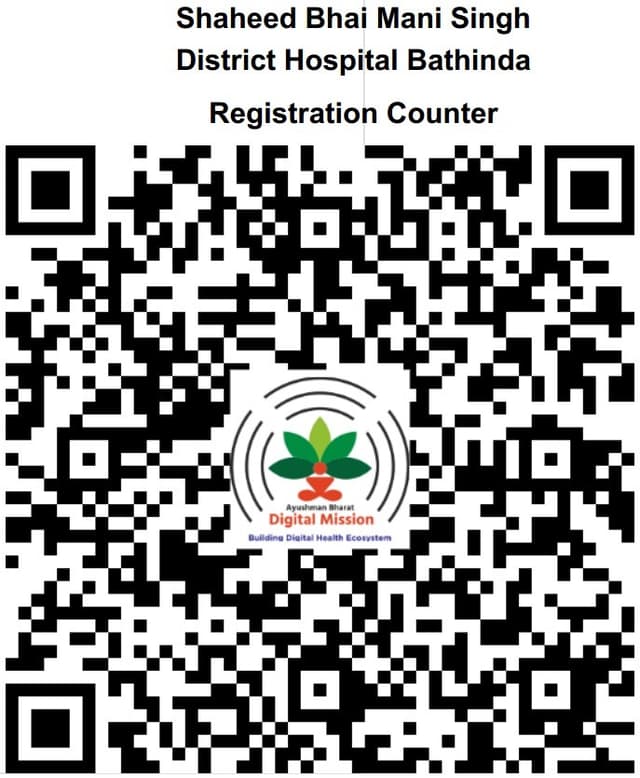
Scan this QR code with your ABHA app at the hospital
OPD Timing
Emergency Services
For medical emergencies, do not wait for an appointment. Visit our emergency department or call:
Available 24×7
Documents Required
- Aadhaar Card (Original + Copy)
- Previous Medical Records (if any)
- ABSSBY/Ayushman Card (if available)
- Referral Letter (if referred)
Important Note
- • Online booking is for OPD appointments only
- • Appointment confirmation via phone call
- • Please arrive 15 minutes before your slot
- • Bring original documents for verification
Contact Us
Phone: 0164-2212221
Email: tele.chbti@yahoo.in
Address: Shaheed Bhai Mani Singh, District Hospital Bathinda, Mansa Road Opp Police Lines, Bathinda